01 / The workflow
Three steps, and the person takes two of them.
- 1
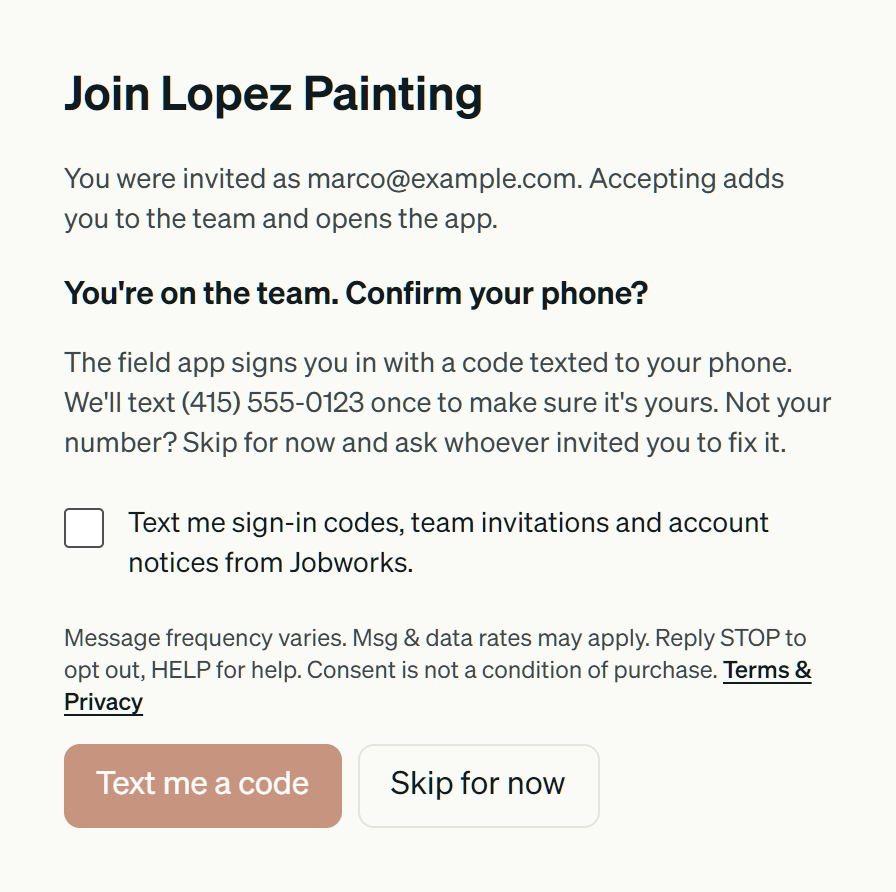
A business owner invites a crew member to their team on Jobworks by email, and includes that person's mobile number. No text is sent at this point.
- 2
The person opens the invitation link, joins the team, and sees their number. They tick the consent box, then tap Text me a code. Until the box is ticked, that button does nothing.
- 3
Jobworks texts the code to that number. Replies are handled: STOP ends texts to that number, and HELP sends back how to reach us. Later texts (sign-in codes, invitations to another team, account notices) go only to numbers that ticked this box.